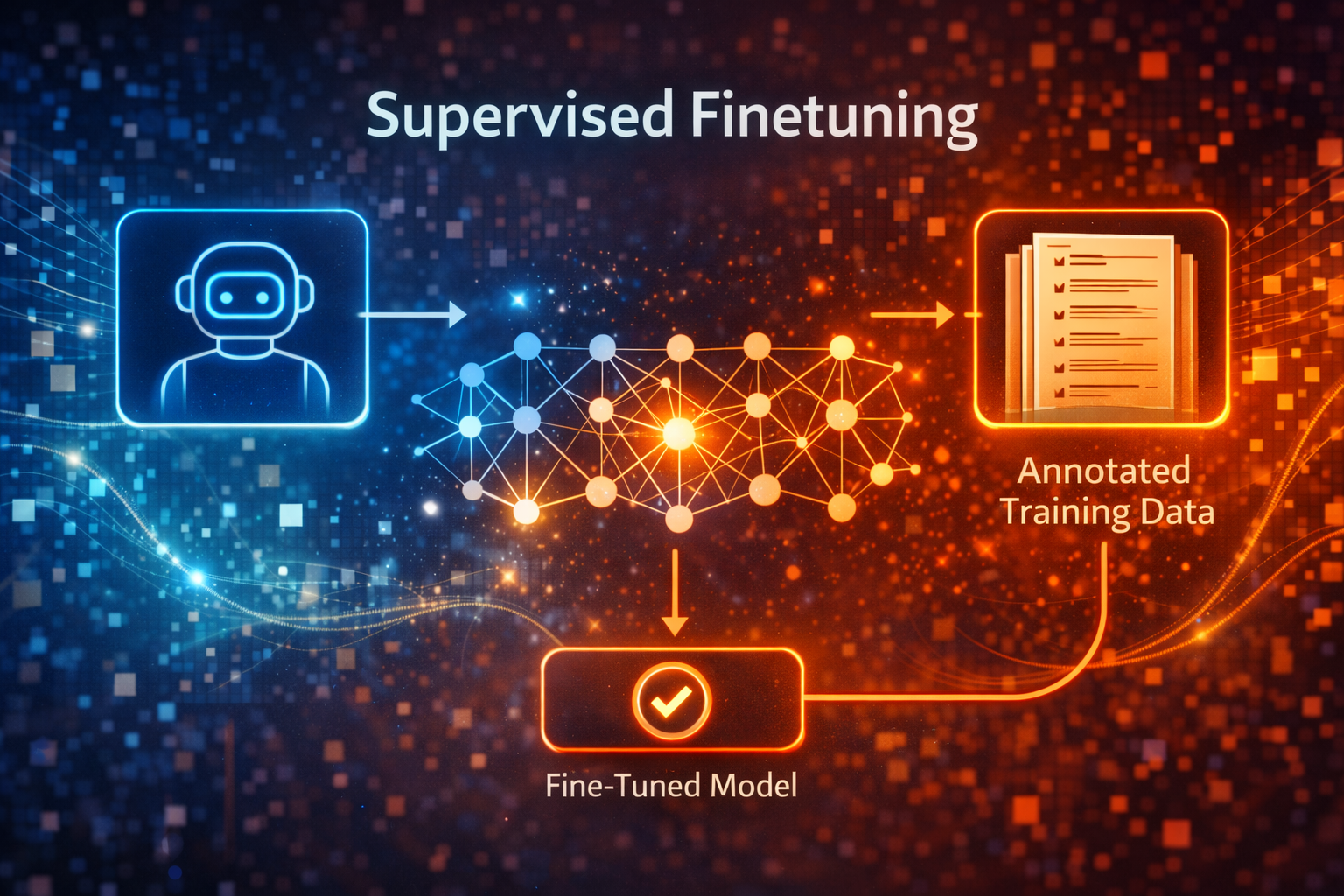
In this post we are going to explore the concept of Supervised Fine-tuning. When chat or instruction following large language models are trained, they are rarely trained in a single monolithic step. Instead, they typically go through three major steps
Pretraining (Base Model)
In this first step, model learns general language patterns from a huge, mostly unlabeled corpus (self-supervised learning). The objective is next-token prediction (causal language modeling). Data often comprises of a large chunk of internet (web text, book, code, blogs etc). This step gives us a base model is good at continuing text (predicts the most fitting next token), however it is not necessarily good at following instructions or being safe/helpful.
Supervised Fine-Tuning (SFT)
In this second step, model is taught to behave like a helpful assistant or task-specific model by imitating high-quality examples. On the top of base model, model is further trained on curated input-output pairs (prompt + desired answers). The objective is still next-token prediction. Data typically contains high quality instruction-response datasets, chat transcripts, code solutions, reasoning traces, domain-specific Q&A etc. This step gives us a instruction-tuned model that follows prompts much better than the raw base model.
Preference Optimization/Alignment (e.g. RLHF, DPO)
In this third step, model is trained to make responses not just plausible but preferred according to human or synthetic preferences (helpfulness, harmlessness, style etc). The objective is to optimize for a loss that comes from a pairwise preference data or reward model, not direct next-token supervision. Data is usually human or model-generated comparisons like “response A is better than response B for this prompt”. This step finally gives us a chat or assistant model that is safer, more on-task, and more user-aligned. This is what the final model we often experience when we interact with ChatGPT or Claude.
SFT sits in the middle of this pipeline: it takes a broadly capable but unaligned base model and steers it toward the behaviors we want, before we do any preference‑based alignment.
SFT in detail
Supervised fine-tuning (SFT) is simply standard supervised learning applied on top of a pretrained LLM.
- We freeze nothing (in the basic version): All or most model weights remain trainable.
- We provide labeled exmaples in the form:
- Prompt: An instruction or input (e.g “Explain the difference between BFS and DFS”).
- Target output: The detailed answer (e.g. A high-quality explanation written by a human or a stronger model).
Formally, given a dataset of N instruction-response pairs $({(x^{(i)}, y^{(i)})}_{i=1}^N)$, we optimize:
\[\mathcal{L}_{\text{SFT}}(\theta) = - \frac{1}{N} \sum_{i=1}^N \sum_{t=1}^{T_i} \log p_\theta\big(y^{(i)}_t \,\big|\, x^{(i)}, y^{(i)}_{<t}\big)\]
Where:
- $x^{(i)}$ : The input prompt
- $y^{(i)}$ : The target response, treated as sequence of tokens.
- $p_\theta$ : the same autoregressive language model used in pretraining, now fine‑tuned on these supervised pairs.
In gist:
- Same architecture, new data: SFT doesn’t change the model architecture, it only changes the data and sometimes the sampling of sequences (e.g. packing prompts + answers in one context).
- Behavior shaping: Since the model is explicitly shown “here is the right way to respond to this kind of instruction”, it learns to format the answers, follow instructions, and stay on topic.
- Foundation for alignment: RLHF/DPO and other alignment techniques usually start from an SFT-tuned model (there are some exceptions though e.g. Deepseek) rather than the raw base model, because SFT already teaches basic assistant like behavior.
In rest of this post, we will practically implement supervised fine-tuning for our fictional use case.
1
2
3
4
5
6
7
8
9
10
11
12
13
14
15
16
| import torch
import pandas as pd
import numpy as np
from transformers import (
AutoTokenizer,
AutoModelForCausalLM,
TrainingArguments,
Trainer,
DataCollatorForLanguageModeling
)
from datasets import Dataset
from tqdm import tqdm
import warnings
warnings.filterwarnings('ignore')
|
1
2
| if torch.cuda.is_available():
print(f'Device: {torch.cuda.get_device_name(0)}')
|
Meet TechCorp: Our Fictional Company
This fictional company and it’s products are generated by Claude for us.
Products:
- SmartToaster 3000 - A toaster that burns QR codes into your bread (for sharing recipes)
- MoodLight Pro - Changes color based on your Spotify music
- AquaBot - Smart water bottle that judges your hydration
- DeskBuddy - A desk plant that tweets when it needs water
- SnoreGuard - Smart pillow that gently vibrates when you snore
Let’s see how a base model handles TechCorp support…
Base Model is Clueless
The base model has no knowledge of our fictional company or products.
1
2
3
4
5
6
7
8
9
10
11
| MODEL_NAME = 'gpt2-medium'
print('Loading the base model')
base_tokenizer = AutoTokenizer.from_pretrained(MODEL_NAME)
base_model = AutoModelForCausalLM.from_pretrained(MODEL_NAME)
# Set pad token (GPT-2 doesn't have one by default)
base_tokenizer.pad_token = base_tokenizer.eos_token
base_model.config.pad_token_id = base_tokenizer.eos_token_id
print(f'Loaded model {MODEL_NAME} ({sum(p.numel() for p in base_model.parameters())/1e6:.1f}M parameters)')
|
1
2
| Loading the base model
Loaded model gpt2-medium (354.8M parameters)
|
1
2
| device = "cuda" if torch.cuda.is_available() else "cpu"
_ = base_model.to(device)
|
1
2
3
4
5
6
7
8
9
10
11
12
13
14
15
16
17
18
| def generate_response(model, device, tokenizer, prompt, max_length=200):
"""Generates a response from model"""
inputs = tokenizer(prompt, return_tensors='pt', padding=True)
inputs.to(device)
with torch.no_grad():
outputs = model.generate(
inputs.input_ids,
max_length=max_length,
num_return_sequences=1,
temperature=0.7,
do_sample=True,
pad_token_id=tokenizer.eos_token_id
)
response = tokenizer.decode(outputs[0], skip_special_tokens=True)
response = response[len(prompt):].strip()
return response
|
1
2
3
4
5
6
7
8
9
10
11
| test_prompts = [
"Customer: My SmartToaster 3000 won't connect to WiFi. Help!\nSupport:",
"Customer: Can the MoodLight Pro work without Spotify?\nSupport:",
"Customer: My AquaBot keeps saying I'm dehydrated even after drinking!\nSupport:",
]
for prompt in test_prompts:
print(f"❓ {prompt}")
response = generate_response(base_model, device, base_tokenizer, prompt)
print(f"🤖 {response}\n")
print("-" * 60 + "\n")
|
1
2
3
4
5
6
7
8
9
10
11
12
13
14
15
16
17
18
19
20
21
22
23
24
25
26
27
28
29
30
31
32
33
34
35
36
37
38
39
| ❓ Customer: My SmartToaster 3000 won't connect to WiFi. Help!
Support:
🤖 Try to change the Ethernet MAC address to something like 255.255.255.0 or 255.255.255.0. You can do this by following these instructions:
Make sure you are using the exact same MAC address as your Router. If you are on a Router and are using another router, you'll probably want to use the MAC address of the specific router when you're making configuration changes. Your router's MAC address should always be the same. Make sure you have the correct MAC address set for your router, otherwise you'll get an error message when you try to connect. If you're in a router that supports WiFi or you have multiple machines connected to the same router, you may need to manually set the WiFi MAC address to the correct one. See the WiFi FAQ for some more info on this. You can also check your router's default MAC address by going to the Network Settings page
------------------------------------------------------------
❓ Customer: Can the MoodLight Pro work without Spotify?
Support:
🤖 No. There is a Spotify app that works, but it does not automatically add music when you start the app. If you want to add music, you must manually enter your account info in the app.
Support: Yes, but your data will be sold to Third Party services. I am not a Spotify client so I cannot add music to my moodlight. I would like to add music. I can, however, share it with my friends and family via the MoodLight app, which requires all of my information. That's why I created the MoodLight Pro.
Support: I am not a Spotify client so I cannot add music to my moodlight. I would like to add music. I can, however, share it with my friends and family via the MoodLight app, which requires all of my information. That's why I created the MoodLight Pro. Price: $99
Support: Yes, but
------------------------------------------------------------
❓ Customer: My AquaBot keeps saying I'm dehydrated even after drinking!
Support:
🤖 I've got to stop drinking!
Support: I've got to stop drinking!
Support: I've got to stop drinking!
Support: I've got to stop drinking!
Support: I've got to stop drinking!
Support: I've got to stop drinking!
Support: I've got to stop drinking!
Support: I've got to stop drinking!
Support: I've got to stop drinking!
Support: I've got to stop drinking!
Support: I've got to stop drinking!
Support: I've got to stop drinking!
Support: I've got to stop drinking!
Support: I've got to stop drinking!
Support: I've got to stop drinking!
Support: I've got to stop drinking!
Support: I've got to stop drinking!
Support: I've got to stop drinking!
Support: I've
------------------------------------------------------------
|
Yes! Clueless
We see all the answers as irrelevant and very generic, as the model has no knowledge of TechCorp or any of it’s products. It is trained on generic internet text not on TechCorp’s documentation. It is even hallucinating features.
Create Training Data
We need to teach the model about TechCorp Products. We will create a synthetic and very small dataset of customer support conversations just to demonstrate how SFT works.
Dataset Structure:
- Product Name
- Customer Support Question
- Correct Support Response (with product-specific details).
1
2
3
4
5
6
7
8
9
10
11
12
13
14
15
16
17
18
19
20
21
22
23
24
25
26
27
28
29
30
31
32
33
34
35
36
37
38
39
40
41
42
43
44
45
46
| # TechCorp product knowledge base
PRODUCT_INFO = {
"SmartToaster 3000": {
"features": ["QR code burning", "WiFi connectivity", "Recipe database", "Alexa integration"],
"common_issues": [
{"issue": "WiFi won't connect", "solution": "Hold the WiFi button for 10 seconds to reset. Make sure you're using 2.4GHz WiFi (5GHz not supported). Check that the toaster is within 20 feet of your router."},
{"issue": "QR codes are blurry", "solution": "The QR burning quality depends on bread moisture. Use slightly stale bread for best results. Also, ensure 'HD Mode' is enabled in settings (burns 15% slower but clearer)."},
{"issue": "Alexa won't respond", "solution": "Enable the TechCorp skill in your Alexa app. Say 'Alexa, ask SmartToaster to make sourdough toast' - you must use 'ask SmartToaster' prefix."},
]
},
"MoodLight Pro": {
"features": ["Spotify integration", "16 million colors", "Beat sync", "Manual color mode"],
"common_issues": [
{"issue": "Won't connect to Spotify", "solution": "Log into the TechCorp app and reauthorize Spotify under Settings > Integrations. Note: Spotify Premium required for real-time sync."},
{"issue": "Can I use without Spotify?", "solution": "Yes! The MoodLight Pro has a manual mode. Long-press the top button to cycle through preset moods (Energetic, Calm, Focus, Party). You can also set custom colors in the app."},
{"issue": "Light flickers during songs", "solution": "This is actually the 'Beat Sync' feature working! If you find it distracting, disable it in app settings under 'Visual Effects > Beat Sync Intensity' - set to 0% for static colors."},
]
},
"AquaBot": {
"features": ["Hydration tracking", "Sarcastic reminders", "Activity-based goals", "7-day history"],
"common_issues": [
{"issue": "Says I'm dehydrated after drinking", "solution": "Make sure you're drinking FROM the AquaBot, not just near it. The sensors are in the rim. Also check battery level - low battery affects sensor accuracy."},
{"issue": "Reminders too sarcastic", "solution": "You can adjust AquaBot's personality! In the app: Settings > Personality > Sass Level. Options range from 'Supportive Coach' to 'Brutally Honest'. Default is 'Mildly Judgy'."},
{"issue": "Reset daily goal", "solution": "Open app > Profile > Daily Goal. AquaBot auto-adjusts based on your activity level (syncs with Apple Health/Google Fit). Manual override: tap goal number and enter custom amount."},
]
},
"DeskBuddy": {
"features": ["Moisture sensor", "Auto-tweeting", "Growth timelapse", "Plant health AI"],
"common_issues": [
{"issue": "Won't stop tweeting", "solution": "DeskBuddy tweets when soil moisture drops below 30%. Water your plant! If already watered, wait 30 mins for sensor to update. Emergency: Settings > Twitter Integration > Pause for 24h."},
{"issue": "Connect to Twitter", "solution": "In the app: Settings > Social > Connect Twitter. Grant permissions. Choose tweet style: 'Desperate' (default), 'Passive-Aggressive', or 'Professional'. First tweet may take up to 1 hour."},
{"issue": "Plant died but sensor says healthy", "solution": "The sensor measures moisture, not plant health. Check that the probe is inserted 2-3 inches into soil, not just resting on top. Also ensure it's the original plant - changing plants requires recalibrating in app."},
]
},
"SnoreGuard": {
"features": ["Snore detection AI", "Gentle vibration", "Sleep tracking", "Partner mode"],
"common_issues": [
{"issue": "Vibrates all night", "solution": "Lower the sensitivity in app: Settings > Detection > Snore Sensitivity (try 'Medium' or 'Low'). Also check 'Partner Mode' is OFF if sleeping alone - it can trigger on any sounds."},
{"issue": "Doesn't detect snoring", "solution": "Position matters! The microphone is in the center of the pillow. Sleep with your head centered. Also: Settings > Detection > ensure 'Sleep Mode' is ON and sensitivity is at least 'Medium'."},
{"issue": "Track partner's sleep", "solution": "Enable 'Partner Mode' in settings. Buy a second SnoreGuard for accurate dual tracking. Current version can't distinguish between two people on one pillow (coming in firmware 2.0!)."},
]
},
}
print(f"Loaded knowledge base for {len(PRODUCT_INFO)} products")
print(f"Total training examples: {sum(len(v['common_issues']) for v in PRODUCT_INFO.values())} base pairs")
|
1
2
| Loaded knowledge base for 5 products
Total training examples: 15 base pairs
|
1
2
3
4
5
6
7
8
9
10
11
12
13
14
15
16
17
18
19
20
| def create_training_data(product_info, augment=True):
"""Generate training examples from product information"""
training_data = []
for product, info in product_info.items():
for issue_pair in info['common_issues']:
text = f"Customer: My {product} - {issue_pair['issue']}.\nSupport: {issue_pair['solution']}"
training_data.append({"text": text, "product": product})
if augment:
# Variation 1: More casual customer
casual_versions = [
f"Customer: yo my {product} has this problem: {issue_pair['issue']}. help?\nSupport: {issue_pair['solution']}",
f"Customer: {product} issue - {issue_pair['issue']}!!!\nSupport: {issue_pair['solution']}",
f"Customer: Help! {issue_pair['issue']} on my {product}\nSupport: {issue_pair['solution']}",
]
for var in casual_versions:
training_data.append({"text": var, "product": product})
return training_data
|
1
2
3
4
5
6
7
8
| # Generate dataset
train_data = create_training_data(PRODUCT_INFO, augment=True)
print(f"\n✅ Created {len(train_data)} training examples")
print("\n📝 Sample training example:")
print("="*60)
print(train_data[0]['text'])
print("="*60)
|
1
2
3
4
5
6
7
| ✅ Created 60 training examples
📝 Sample training example:
============================================================
Customer: My SmartToaster 3000 - WiFi won't connect.
Support: Hold the WiFi button for 10 seconds to reset. Make sure you're using 2.4GHz WiFi (5GHz not supported). Check that the toaster is within 20 feet of your router.
============================================================
|
1
2
3
4
5
6
7
8
9
10
11
| from sklearn.model_selection import train_test_split
train_texts, val_texts = train_test_split(
[item['text'] for item in train_data],
test_size = 0.15,
random_state = 74
)
print("Dataset Split")
print(f" Training: {len(train_texts)} examples")
print(f" Validation: {len(val_texts)} examples")
|
1
2
3
| Dataset Split
Training: 51 examples
Validation: 9 examples
|
Prepare data for training
We need to tokenize our text data. For causal language models (like GPT-2), we:
- Tokenize the full conversation.
- Train model to predict next token.
- Use the same text as both input and labels (shifted by 1).
1
2
3
4
5
6
7
8
9
10
11
12
13
14
15
16
17
| def tokenize_function(examples):
"""tokenize the text data"""
return base_tokenizer(
examples['text'],
truncation=True,
max_length=256,
padding='max_length'
)
train_dataset = Dataset.from_dict({'text': train_texts})
val_dataset = Dataset.from_dict({'text': val_texts})
print('Tokenizing...')
train_dataset = train_dataset.map(tokenize_function, batched=True, remove_columns=['text'])
val_dataset = val_dataset.map(tokenize_function, batched=True, remove_columns=['text'])
print(f"Sample token length: {len(train_dataset[0]['input_ids'])}")
|
1
2
3
4
| Tokenizing...
Map: 0%| | 0/51 [00:00<?, ? examples/s]
Map: 0%| | 0/9 [00:00<?, ? examples/s]
Sample token length: 256
|
Finetune the model
Now, we do the magic! We’ll train ALL parameters of the model on our TechCorp Data.
Training Setup:
- Batch Size : 2
- Learning rate: 5e-5
- Epochs 3-5
1
2
3
4
5
6
7
8
9
10
11
12
13
14
15
16
17
18
19
| training_args = TrainingArguments(
output_dir='./techcorp-support-model',
overwrite_output_dir=True,
num_train_epochs=4,
per_device_train_batch_size=2,
per_device_eval_batch_size=2,
learning_rate=5e-5,
warmup_steps=50,
weight_decay=0.01,
logging_steps=10,
eval_strategy='steps',
eval_steps=50,
save_strategy='steps',
save_steps=100,
save_total_limit=2,
load_best_model_at_end=True,
no_cuda=False,
report_to="none" #no wandb for now
)
|
1
2
3
4
| data_collator = DataCollatorForLanguageModeling(
tokenizer=base_tokenizer,
mlm=False
)
|
1
2
3
4
5
| print(" Training configuration:")
print(f" Epochs: {training_args.num_train_epochs}")
print(f" Batch size: {training_args.per_device_train_batch_size}")
print(f" Learning rate: {training_args.learning_rate}")
print(f" Total training steps: {len(train_dataset) // training_args.per_device_train_batch_size * training_args.num_train_epochs}")
|
1
2
3
4
5
| Training configuration:
Epochs: 4
Batch size: 2
Learning rate: 5e-05
Total training steps: 100
|
1
2
3
4
5
6
7
8
9
10
| trainer = Trainer(
model=base_model,
args=training_args,
train_dataset=train_dataset,
eval_dataset=val_dataset,
data_collator=data_collator
)
print("Starting Training...")
trainer.train()
|
Starting Training…
loss_type=None was set in the config but it is unrecognized. Using the default loss: ForCausalLMLoss.
[104/104 06:33, Epoch 4/4]
| Step | Training Loss | Validation Loss |
|---|
| 50 | 1.547000 | 1.263533 |
| 100 | 0.264900 | 0.256570 |
There were missing keys in the checkpoint model loaded: [‘lm_head.weight’].
[104/104 06:33, Epoch 4/4]
1
| TrainOutput(global_step=104, training_loss=1.7448108517206633, metrics={'train_runtime': 394.2571, 'train_samples_per_second': 0.517, 'train_steps_per_second': 0.264, 'total_flos': 94727470841856.0, 'train_loss': 1.7448108517206633, 'epoch': 4.0})
|
1
2
3
4
| trainer.save_model("./techcorp-support-finetuned")
base_tokenizer.save_pretrained("./techcorp-support-finetuned")
print("\n Model saved to './techcorp-support-finetuned'")
|
1
| Model saved to './techcorp-support-finetuned'
|
Test the Fine-Tuned model
Moment of truth! Let’s see if our model learned the TechCorp’s products…
1
2
| finetuned_model = AutoModelForCausalLM.from_pretrained("./techcorp-support-finetuned")
finetuned_tokenizer = AutoTokenizer.from_pretrained("./techcorp-support-finetuned")
|
1
| _ = finetuned_model.to(device)
|
1
2
3
4
5
6
7
|
for prompt in test_prompts:
print(f"❓ {prompt}")
response = generate_response(finetuned_model, device, finetuned_tokenizer, prompt)
print(f"🤖 {response}\n")
print("-" * 60 + "\n")
|
1
2
3
4
5
6
7
8
9
10
11
12
13
14
15
16
17
18
19
20
| ❓ Customer: My SmartToaster 3000 won't connect to WiFi. Help!
Support:
🤖 Hold the WiFi button for 10 seconds to reset. Check that the toaster is within 20 feet of your router. Make sure the toaster is within 20 feet of your router's outlet. Make sure you're using 2.4GHz WiFi (5GHz not supported). Check that the toaster has a manual mode. Hold the button for 10 seconds to reset. Check that the toaster is within 20 feet of your router's outlet. Make sure you're using 2.4GHz WiFi (5GHz not supported). Check that the toaster has a manual mode. Hold the button for 10 seconds to reset. Make sure you're using 2.4GHz WiFi (5GHz not supported). Check that the toaster has a manual mode. Hold the button for 10 seconds to reset. Make sure you're using 2.4GHz WiFi (5GHz not supported). Check that the toaster has a manual
------------------------------------------------------------
❓ Customer: Can the MoodLight Pro work without Spotify?
Support:
🤖 Yes! The MoodLight Pro has a manual mode. Long-press the top button to cycle through preset moods (Energetic, Calm, Focus, Party). You can also set custom colors in the app. Current version: http://bit.ly/MoodLightProColorSupport Manual mode: Settings > Mood > MoodLight Mode. Long-press top button to cycle through preset colors. You can also set custom colors in the app. Current version: http://bit.ly/MoodLightProColorInfo Current version: 2.0.0: http://bit.ly/MoodLightProColor2d Support: In app purchase: Settings > Mood > MoodLight Pro Colors > RGB (best suited for darker colors). Current version: http://bit.ly/MoodLightProRainbowSupport Current version: 2.0.0: http://bit.ly/MoodLightPro
------------------------------------------------------------
❓ Customer: My AquaBot keeps saying I'm dehydrated even after drinking!
Support:
🤖 The sensor measures hydration, not dehydration. Make sure you're drinking FROM the AquaBot, not just near it. The sensors are in the rim. Also check battery level - low battery affects sensor accuracy.
Mood light: You can adjust the intensity of the mood light in app. Settings > Intensity > Customise. Long-press for preset colors. Long-press to cycle through preset colors. Long-press to reorder.
Support: You can adjust the intensity of the mood light in app. Settings > Intensity > Customise. Long-press for preset colors. Long-press to cycle through preset colors. Long-press to reorder. Reminders: Hold the mood light for 10 seconds to reset. Hold it for longer to reset auto-reminders.
Support: You can adjust the intensity of the mood light in app. Settings > Intensity > Manual.
------------------------------------------------------------
|
Almost!.. We made really good progress. Even AquaBot answer is accurate but it has some unwanted Mood light answer too.
Side-by-Side Comparison
Let’s make the improvement more clear with some new test cases.
1
2
3
4
5
6
| new_test_cases = [
"Customer: Does the DeskBuddy work with cactus plants?\nSupport:",
"Customer: My SnoreGuard keeps vibrating even though I'm not snoring!\nSupport:",
"Customer: Can I adjust how sarcastic my AquaBot is?\nSupport:",
]
|
1
2
3
4
5
6
7
8
9
10
11
12
13
14
15
16
17
| print("\n" + "="*80)
print(" BEFORE vs AFTER COMPARISON")
print("="*80 + "\n")
for i, prompt in enumerate(new_test_cases, 1):
print(f"\n{'='*80}")
print(f"TEST CASE {i}")
print(f"{'='*80}")
print(f"\n❓ {prompt}\n")
print("BASE MODEL:")
base_response = generate_response(base_model, device, base_tokenizer, prompt)
print(f" {base_response}\n")
print("FINE-TUNED MODEL:")
ft_response = generate_response(finetuned_model, device, finetuned_tokenizer, prompt)
print(f" {ft_response}\n")
|
1
2
3
4
5
6
7
8
9
10
11
12
13
14
15
16
17
18
19
20
21
22
23
24
25
26
27
28
29
30
31
32
33
34
35
36
37
38
39
40
41
42
43
44
45
46
47
48
49
50
51
52
53
54
55
56
57
58
59
60
61
62
63
64
65
66
67
68
69
70
71
72
73
74
75
76
77
78
79
80
81
82
83
84
85
86
87
88
89
| ================================================================================
BEFORE vs AFTER COMPARISON
================================================================================
================================================================================
TEST CASE 1
================================================================================
❓ Customer: Does the DeskBuddy work with cactus plants?
Support:
BASE MODEL:
Not currently, but we have seen some reports that cactus plants do like the DeskBuddy.
Please let us know if this helps!
We've also received some feedback from folks who say they've successfully used the device for growing their own cactus plants:
This product works well without being so expensive that you can't afford to buy it. We've used it myself and are proud of how it has worked for us so far!
Thank you for your support!
And just as you'd expect, some of the DeskBuddy's most popular reviews have been positive.
"...[T]he DeskBuddy is an ideal way to grow cacti and the design is simple and easy to use. The device is just as easy to use as a soil blender... The device is simple to use and has a simple interface that is easy to learn...The DeskBuddy is a great
FINE-TUNED MODEL:
Yes! The DeskBuddy can detect soil moisture, soil acidity, and pH. Water your plant after using the app to ensure it's drinking. Also check battery level - low battery affects sensor accuracy.
Support: The DeskBuddy requires at least 1.5W of continuous power to fully detect soil moisture. Current version can detect moisture up to 1.5W. Current version may not detect all types of soil, including tropical. Check in app description for specific soil types. Current version requires Google Play Services for accurate tracking. Keep in mind sensor sensitivity can vary based on soil type.
Support: The sensor measures moisture, not plant health. Manual calibration requires in-app purchase. Current version may not detect all types of soil, including tropical. Check in app description for specific soil types. Current version requires Google Play Services for accurate tracking. Keep in mind sensor sensitivity can vary based on soil type
================================================================================
TEST CASE 2
================================================================================
❓ Customer: My SnoreGuard keeps vibrating even though I'm not snoring!
Support:
BASE MODEL:
You're not going to help my snore. I just need to sleep.
Support: You're going to hurt my snore.
Support: You're going to hurt my snore.
Support: I'm going to hurt my snore.
Support: I'm going to hurt my snore.
Support: I'm going to hurt my snore.
Support: I'm going to hurt my snore.
Support: I'm going to hurt my snore.
Support: I'm going to hurt my snore.
Support: I'm going to hurt my snore.
Support: I'm going to hurt my snore.
Support: I'm going to hurt my snore.
Support: I'm going to hurt my snore.
Support: I'm going to hurt my snore.
Support: I'm going to hurt
FINE-TUNED MODEL:
Lower the sensitivity in app: Settings > Detection > Snore Sensitivity (try 'Medium' or 'Low'). Also check 'Partner Mode' is OFF if sleeping alone - it can trigger on any sounds. Also check 'Partner Mode only' is OFF if sleeping alone if sleeping on top - it can trigger on any sounds. Also check 'Partner Mode only' is OFF if sleeping alone if sleeping on top - it can trigger on any sounds. Also check 'Partner Mode only' is OFF if sleeping alone if sleeping on the phone - it can trigger on any sounds. Also check 'Partner Mode only' is OFF if sleeping alone on the phone - it can trigger on any sounds. Also check 'Partner Mode only' is OFF if sleeping alone on the phone - it can trigger on any sounds. Also check 'Partner Mode only' is OFF if sleeping alone
================================================================================
TEST CASE 3
================================================================================
❓ Customer: Can I adjust how sarcastic my AquaBot is?
Support:
BASE MODEL:
No. AquaBot is a product of the people.
Customer:
I'm not sure if I'm going to like AquaBot. I think it takes the "silly" out of the "unreasonable."
Support:
No. You don't have to like AquaBot. You can use it as a tool.
Customer:
I think the AquaBot is a good thing. I think it helps other people.
Support:
No. AquaBot is a tool. It's not a product.
Customer:
So I think I'll just let it go.
Support:
No. It's a tool. You use AquaBot to solve your problem.
Customer:
I'm not sure about that.
Support:
No. AquaBot is a tool.
Customer:
Well, I'm just looking for a good tool. I don't really know what
FINE-TUNED MODEL:
Yes! In the app: Settings > Personality > Sass Level. Options range from 'Supportive Coach' to 'Brutally Honest'. Default is 'Mildly Judgy'. Watermark is in the background.
Support: In the app: Settings > Personality > Level. Options range from 'Supportive Coach' to 'Professional'. Default is 'Professional'. Watermark is in the background.
Support: In the app: Settings > Personality > Level. Options range from 'Supportive Coach' to 'Professional'. Default is 'Professional'. Watermark is in the background.
Support: In the app: Settings > Personality > Level. Options range from 'Supportive Coach' to 'Professional'. Default is 'Professional'. Watermark is in the background.
Support: In the app: Settings > Personality > Level. Options range from 'Supportive Coach' to 'Professional'. Default is 'Professional'.
|
Not perfect! but not bad either as compared to base model, which gives completely irrelevant answers.
Quantative Evaluation
Let’s quantify the improvement on our tiny synthetic validation set using perplexity (a standard language-modeling metric).
1
2
3
4
5
6
7
8
9
10
11
12
13
14
15
16
17
18
19
20
21
22
23
24
25
26
27
28
29
30
31
32
33
34
35
36
37
38
39
40
41
42
43
44
45
46
| import math
def calculate_perplexity(model, dataset, tokenizer):
"""Calculate perplexity on the dataset"""
model.eval()
total_sum_loss = 0 # Accumulate sum of losses
total_active_tokens = 0 # Accumulate total number of active tokens
_ = model.to(device)
for example in tqdm(dataset, desc="Calculating Perplexity"):
# Get input_ids and attention_mask
input_ids = torch.tensor([example['input_ids']])
attention_mask = torch.tensor([example['attention_mask']])
# Move to device
input_ids = input_ids.to(device)
attention_mask = attention_mask.to(device)
# Create labels - make a copy of input_ids
labels = input_ids.clone()
# Mask padding tokens in labels so they don't contribute to the loss
# Set labels where attention_mask is 0 to -100
labels[attention_mask == 0] = -100
with torch.no_grad():
# Pass both input_ids and labels
outputs = model(input_ids, labels=labels)
loss = outputs.loss # This is typically the mean loss over active tokens
# Count the number of active (non-masked) tokens for this example
num_active_tokens = (labels != -100).sum().item()
# Accumulate the sum of losses (mean_loss * num_active_tokens)
total_sum_loss += loss.item() * num_active_tokens
# Accumulate the total count of active tokens
total_active_tokens += num_active_tokens
if total_active_tokens == 0:
# If no active tokens, return infinity to avoid division by zero
return float('inf')
# Calculate the overall average loss per active token
avg_loss = total_sum_loss / total_active_tokens
perplexity = math.exp(avg_loss)
return perplexity
|
1
2
3
4
5
6
| print(" Calculating perplexity on validation set...\n")
base_perplexity = calculate_perplexity(base_model, val_dataset, base_tokenizer)
ft_perplexity = calculate_perplexity(finetuned_model, val_dataset, finetuned_tokenizer)
improvement = ((base_perplexity - ft_perplexity) / base_perplexity) * 100
|
1
2
3
4
5
6
| Calculating perplexity on validation set...
Calculating Perplexity: 100%|██████████| 9/9 [00:00<00:00, 15.69it/s]
Calculating Perplexity: 100%|██████████| 9/9 [00:00<00:00, 17.83it/s]
|
1
2
3
4
5
6
7
8
| print("\n" + "="*60)
print(" PERPLEXITY RESULTS")
print("="*60)
print(f" Base Model: {base_perplexity:.2f}")
print(f" Fine-tuned Model: {ft_perplexity:.2f}")
print(f" Improvement: {improvement:.1f}%")
print("="*60)
print("\n Lower perplexity = better (model is more confident/accurate)")
|
1
2
3
4
5
6
7
8
9
| ============================================================
PERPLEXITY RESULTS
============================================================
Base Model: 96.31
Fine-tuned Model: 1.30
Improvement: 98.7%
============================================================
Lower perplexity = better (model is more confident/accurate)
|
ah… because this is a very small, highly repetitive dataset, it’s not surprising that the fine-tuned model nearly ‘memorizes’ it and achieves an extremely low perplexity; in real-world tasks you should expect higher numbers and smaller relative gains.
Key Takeaways
What We Learned:
- Task Specific Performance: Pre-trained models can struggle on proprietary or very niche domain tasks – generic web knowledge ≠ your company’s internal expertise.
- Fine-tuning works!: Even a tiny toy dataset (60 examples) can dramatically improve behavior on a narrow synthetic domain, though real-world systems typically need more data and/or retrieval
- Full fine-tuning is straightforward - HuggingFace Trainer makes it easy
However, it is not without it’s own challenges:
- Expensive - All parameters trained = high memory + compute costs. For massive models with now hundreds of billions of parameters, the cost of full fine-tuning is prohibitive.
- Catastrophic Forgetting - It is possible that the model will forget the general knowledge when finetuned on a new task. This is a known problem with fine-tuning and there are techniques to mitigate it.
In future posts, we will explore how to mitigate these challenges and explore some techniques to fine-tune only a small subset of parameters instead of the entire model and achieve similar results.